Recipes for agents that
deliver business outcomes.
Every playbook is a real workflow our community has shipped to production - forkable, observable, and ready to drop into your hive.
The playbooks builders copy the most.
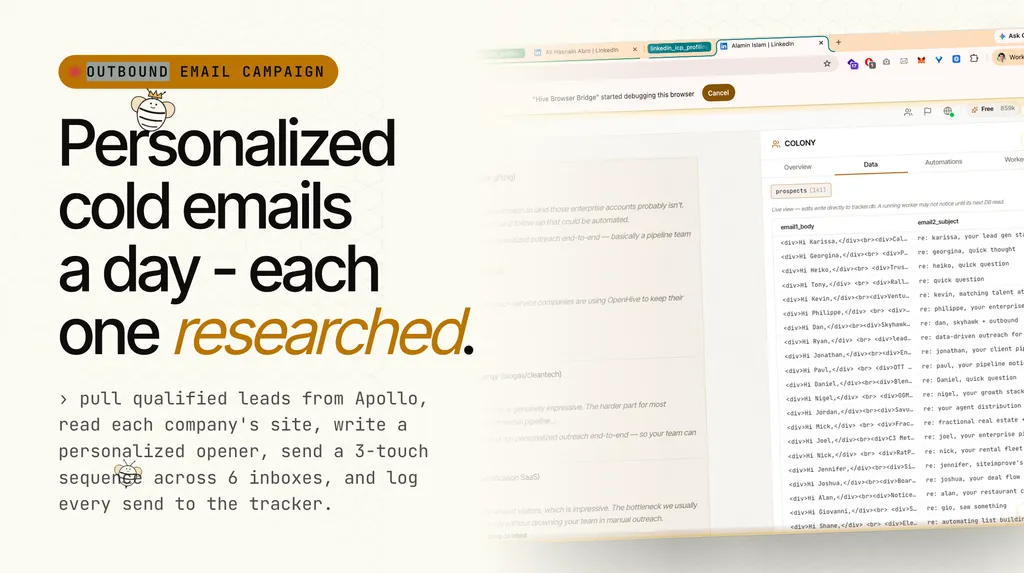
Personalized Outbound Email Drip Campaign
--- name: outbound-email-campaign description: "Run a multi-touch cold email campaign to founders and small business owners. Handles Apollo lead pulling, website research, personalized openers, sequenced email sends across multiple inboxes, and tracker logging. Use when the operator says 'Run' the outbound email campaign, or asks to pull leads, send emails, or check campaign status." --- # Outbound Email Campaign Send personalized cold emails to a defined target segment, driving them to book a discovery call. Success = booked calls and replies from qualified prospects. ## Configuration All values below are **variables**. Replace the defaults with your own before running. The operator sets these once, and every step in the protocol references them. ### Identity and Brand | Variable | Description | Example Default | |---|---|---| | `SENDER_NAME` | Full name on the email signature | `Vincent Jiang` | | `SENDER_TITLE` | Title in the signature | `Co-founder of OpenHive` | | `COMPANY_NAME` | Your company name (used in copy) | `OpenHive` | | `COMPANY_URL` | Your website (for lead research reference) | `https://www.open-hive.com/` | ### Product Pitch and CTA | Variable | Description | Example Default | |---|---|---| | `EMAIL1_VALUE_PROP` | The 3-bullet value proposition block in Email 1. See [email templates](references/EMAIL_TEMPLATES.md). | *(in reference file)* | | `CTA_OFFER` | The concrete offer in Email 1 call-to-action | `I'll run your URL through OpenHive and prepare 5 qualified prospects` | | `CTA_LINK` | Scheduling link | `https://calendly.com/contact_aden/discovery-call` | | `SOCIAL_LINK` | Your social profile for Email 3 | `https://x.com/vincentjiang777` | ### Targeting Criteria | Variable | Description | Example Default | |---|---|---| | `TARGET_TITLES` | Job titles to search | `Founder, Co-Founder, Owner, CEO` | | `MAX_COMPANY_SIZE` | Strict ceiling on employees. No exceptions. | `10` | | `TARGET_COUNTRIES` | Tier 1 geographies | `United States, United Kingdom, Canada, Australia, New Zealand, Ireland, Germany, France, Netherlands` | | `EXCLUDE_PROFILES` | Profile types to skip | `celebrities, influencers, personal brands` | ### Lead Source | Variable | Description | Example Default | |---|---|---| | `LEAD_SOURCE` | Where leads come from | `apollo` | | `CREDIT_RATIO` | Target enrichment credits per email sent | `1.2` | | `STARTING_PAGE` | Lead source page depth to pull from (reduces dupes) | `3` | ### Inbox Configuration Define each sending inbox and its daily volume. Gmail inboxes land in primary; new SendGrid domains land in spam during warmup. Do not change the split without operator approval. | Inbox Slot | Daily Volume | Provider | |---|---|---| | `INBOX_1_EMAIL` / `INBOX_1_VOLUME` | 50 | gmail | | `INBOX_2_EMAIL` / `INBOX_2_VOLUME` | 50 | gmail | | `INBOX_3_EMAIL` / `INBOX_3_VOLUME` | 25 | sendgrid | | `INBOX_4_EMAIL` / `INBOX_4_VOLUME` | 25 | sendgrid | | `INBOX_5_EMAIL` / `INBOX_5_VOLUME` | 25 | sendgrid | | `INBOX_6_EMAIL` / `INBOX_6_VOLUME` | 25 | sendgrid | | **`TOTAL_DAILY_VOLUME`** | **200** | | ### Tracker | Variable | Description | Example Default | |---|---|---| | `TRACKER_TABLE` | Name of the tracker table | `founder_campaign` | Full schema: see [tracker schema](references/TRACKER_SCHEMA.md). --- ## Daily Sending Protocol When the operator says **"Run"**, execute the full sequence for that day. ### Step 1: Pull and Verify Leads 1. Search `LEAD_SOURCE` for `TARGET_TITLES` at companies with fewer than `MAX_COMPANY_SIZE` employees in `TARGET_COUNTRIES`. 2. **Check company size from search results BEFORE enriching.** Do not spend enrichment credits on leads you will not use. 3. Deduplicate against every email already in `TRACKER_TABLE`. Lead sources return duplicates across pages. 4. Pull from page `STARTING_PAGE` or deeper to reduce duplicate rate. 5. Enrich only the leads you will actually send to (roughly 1 credit per lead). 6. Capture every field on first enrichment: name, email, company, company website, LinkedIn URL, country, title. No backfilling later. ### Step 2: Research Each Lead's Website 1. Visit each lead's company website before writing a single word. 2. Read what the company actually does (not what the industry category suggests). 3. Write a personalized opener based on what you found. Follow the [opener rules](references/OPENER_RULES.md). ### Step 3: Send Email 1 to New Leads Send the first email to all new leads for the day. Use the copy in [email templates](references/EMAIL_TEMPLATES.md), substituting `[FIRST_NAME]`, `[OPENER]`, and the config variables above. Rotate across inboxes per the inbox split. Plain text only. No HTML. No em dashes. ### Step 4: Send Email 2 (Day 3 of Sequence) Send Email 2 to leads who received Email 1 two days ago. ### Step 5: Send Email 3 (Day 7 of Sequence) Send Email 3 to leads who received Email 1 six days ago. ### Step 6: Log Everything Record every send in `TRACKER_TABLE` with all fields from the [tracker schema](references/TRACKER_SCHEMA.md). The tracker is the source of truth. --- ## Credit Management `LEAD_SOURCE` credits are expensive. Follow these rules strictly: 1. **Never enrich a lead you have not pre-qualified.** Check employee count from search results first. 2. **Target ratio: `CREDIT_RATIO` credits per email sent.** 3. **Deduplicate before enriching.** Check `TRACKER_TABLE` for existing emails first. 4. **Pull from deeper pages** (page `STARTING_PAGE`+) to reduce duplicate rate across runs. 5. **Capture all data fields on first enrichment.** No second passes. --- ## Signature Rules - Plain text only, no links - Format: three dashes, then name, then title: ``` --- SENDER_NAME SENDER_TITLE ``` --- ## Rules and Guardrails 1. **Never send emails without explicit operator approval.** The "Run" command is that approval. 2. **Never pull leads without a clear purpose.** Every search costs credits. 3. **Send plain text only.** No HTML, no tracking pixels, no fancy formatting. 4. **Log every send immediately.** The tracker is the source of truth. 5. **If an inbox fails (403, bounced, etc.), redistribute those leads across working inboxes.** Do not skip them. 6. **Refresh email credentials right before each send.** Tokens expire mid-run.
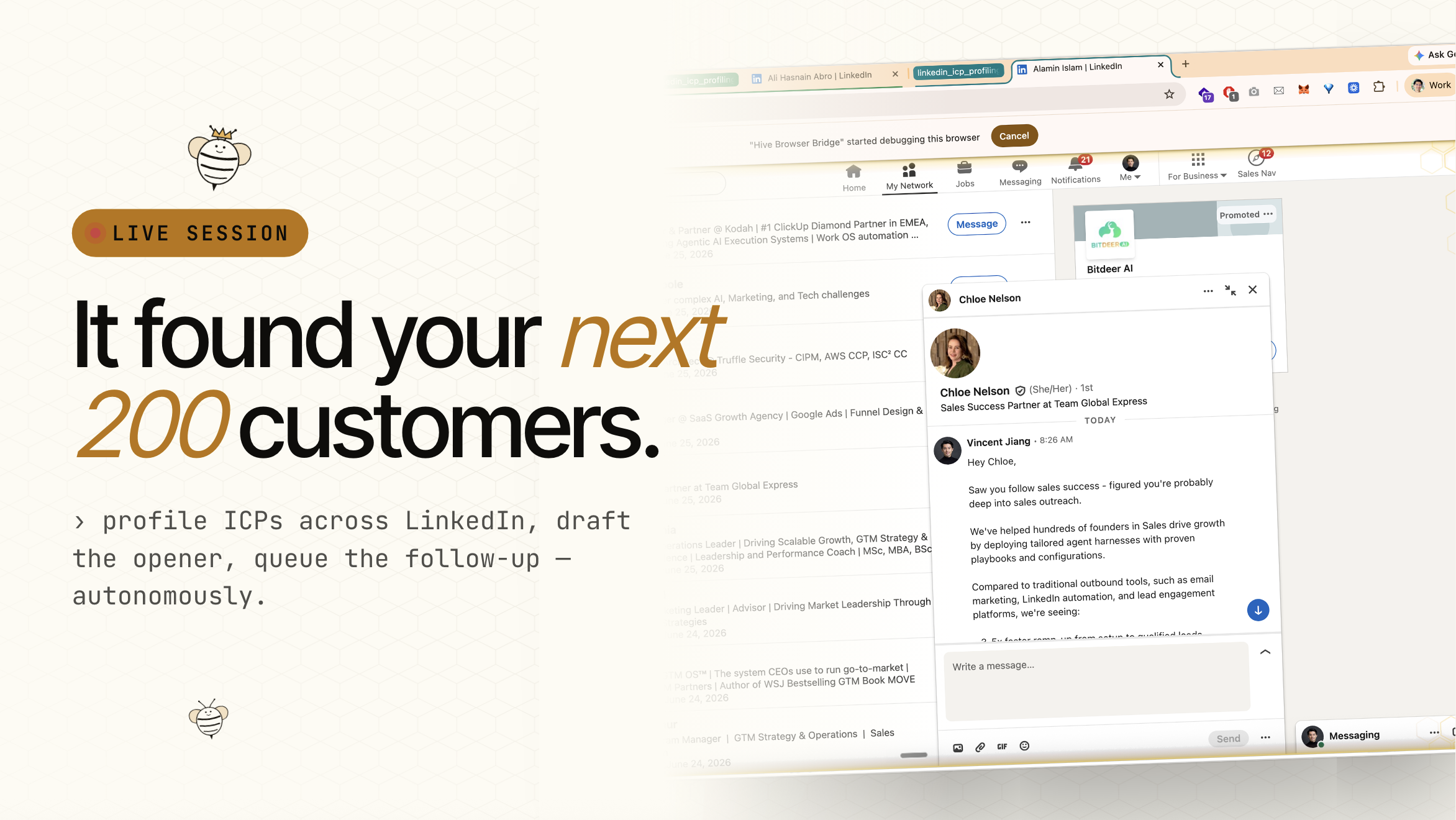
ICP Discovery
Find and Rank Your Best Prospects from LinkedIn Connections What this achieves A ranked, scored list of my LinkedIn connections that match my ideal customer profile - not just a headline match, but actual buying signals from what people are posting and doing right now. The deliverable is a table of qualified prospects ranked by how likely they are to buy, with specific notes on why each one scored where they did. Define my ICP Pick 3-4 customer types I'm hunting for. For each one, write a one-sentence description of who belongs and who doesn't. icp buckets Phase 1: Scan my connections Go to my LinkedIn connections page. Scroll deep — I'll need to scan roughly 3x the number of ICP matches I want. If I want target prospect count good prospects, expect to scan about 3x that many. Capture name, headline, and profile link for each one. Phase 2: Sort them into buckets Match each connection to an ICP bucket based on their headline. Use keyword matching but keep it conservative — I'll catch more false positives than false negatives. "Founder" matches VCs and service providers just as easily as solo founders. "Agency" catches corporate governance firms. Err on the side of narrower matches. Give each match a preliminary score from 1 to 10 based on their headline alone. Be skeptical. Most headline scores will drop after I look at actual activity. Phase 3: Enrich with real buying signals This is where the work pays off. For each prospect, visit their LinkedIn recent activity page. Read what they're actually posting and commenting about right now. The headline tells me who they are. Recent activity tells me whether they're ready to buy. What counts as a buying signal, ranked strongest to weakest: Explicit pain. They're posting about something broken: a CRM migration that wrecked their pipeline, proposals taking 3 days because nobody owns the template, reps back on spreadsheets Tool complaints or switching. They're vocal about leaving one tool for another, evaluating options, or frustrated with their current stack Active hiring. Especially sales, GTM, or growth roles. Signals scaling — scaling means budget Using the tools I sell. They're posting about workflows they built, agents they deployed, or automation tricks they discovered. They're a practitioner, not someone selling the same thing as a service Building and launching. Y Combinator, shipping product, seeking a co-founder, running events Explicit asks. "My DMs are open," "looking for recommendations," "anyone using X?" What counts against them — downgrade the score: Every post has a "Book a demo" or "Schedule a call" CTA. They're selling, not buying All content promotes their own company or product. Service provider No posts in dormant threshold months months or more. Dormant profile. Cap score at 5 Only reposts, zero original thoughts. Curator, not buyer Wrong ICP entirely — doesn't fit any of my defined buckets. Score 2-4 Phase 4: Re-rank and review Once every prospect has been enriched, re-sort the full list by final score. The distribution typically looks like this: Score 9-10: Active builders with explicit pain. Best outreach targets — probably 10-20% of the list Score 7-8: Good fit, relevant activity, but no urgent need expressed. Nurture over time Score 5-6: Right headline, wrong reality — dormant, or a service provider with adjacent content. Low priority Score 2-4: Wrong ICP. Headline misled the classifier. Remove or re-bucket Also flag profiles that landed in the wrong bucket. A solo founder posting agency case studies probably belongs in the agency bucket. Someone selling services to the same customers I target doesn't belong in any outreach bucket. The most important distinction: buyer vs. provider About 30% of my headline matches will turn out to be people who sell to the same customers I sell to — Clay partners, HubSpot consultants, fractional CMOs, GTM engineers. They use the right vocabulary. They post about the right problems. But they're looking for clients, not tools. Enrichment must explicitly flag "service provider, not buyer" for each prospect where this applies. These people can be partners or referral sources, but they're not outreach targets. Scoring reference card 10 — Building something. In pain. Hiring or switching tools. Clear buying intent right now 9 — Strong fit, active, engaged. Likely in market within 90 days 8 — Active and relevant, but no urgent need visible yet 7 — Good fit, some activity, no pain signals 6 — Right headline but dormant profile, or service provider with adjacent content 5 — Borderline fit, or completely dormant. Headline-only match 2-4 — Wrong ICP. Remove from outreach list The final deliverable A ranked table of my ICP connections with: name, headline, bucket, score, and a one-sentence note on why they scored that way. The note is the most valuable column — it's what turns a number into a conversation starter.
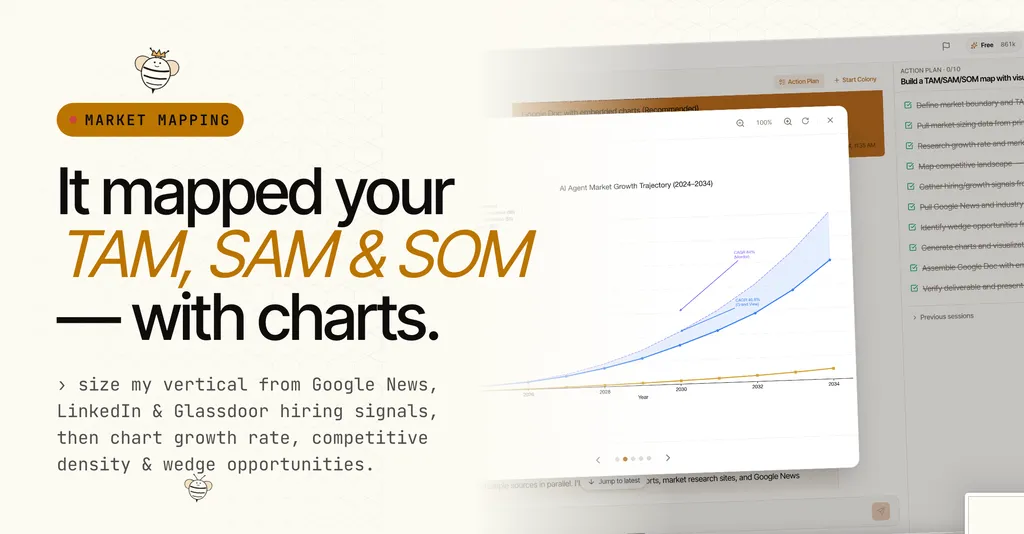
Market Mapping
Build a market sizing and competitive landscape report for my company's vertical. The deliverable A single HTML file designed like a formal strategy deck - slide-style sections, landscape orientation, exquisitely designed, every page dense and self-contained. Double-click to open, scroll through, print to PDF. Hand it to an investor, partners, and board member. What goes in it TAM / SAM / SOM sizing - top-down from industry research firms AND bottom-up from my ideal customer profile. Market size today, growth rate, what share I can realistically capture. Show it as a funnel chart. Market growth projection - a line chart showing where the market is heading over the next 5-10 years, pulling from multiple research firm forecasts. Label the CAGR. Competitive landscape - map competitors on a scatter chart (funding vs revenue, with company size as bubble size). Group them into tiers: enterprise, mid-market, and emerging. Include a compact table with funding, revenue, employee count, and pricing for each. Cost disruption and hiring signals - show how my pricing compares to alternatives (human labor, enterprise tools, SMB tools) as a bar chart. Pull real hiring data (job postings, deployment counts) from hiring signal platforms for relevant role category roles to show market momentum. Wedge opportunities - a matrix chart ranking my best go-to-market angles by strategic fit and revenue potential. Rank them and explain why each one matters right now. Strategic recommendations - a timeline: next 90 days, 6 months, 18 months, 36 months. Each phase gets a clear target revenue number. How the research should be done - Pull market sizing data from Google search results (research firms publish top-line numbers publicly) - Look up each competitor's funding, revenue, headcount, and pricing from search results and their own websites - Check hiring signal platforms for hiring signals - Note news signals: any bans, pivots, funding rounds, or market shifts that create urgency The look and feel Match my company's website branding exactly. Pull the colors, fonts, and design language from the live site. Same font family, same accent colors, same tone, same border style and corner rounding. It should feel like it came from the same brand. Clean, editorial, minimal. Subtle borders. No heavy shadows. Every chart embedded directly in the document - no separate image files. Each section gets a numbered badge in the site's accent color. Tables use the site's text color for headers. Quality standards my users care about - Every data point must come from a real source found during research — never guess - If research firms disagree on market size, show the range and note the blended mid-point - Content must fill each page. No page with just a title and nothing else - Charts sized to fit on the page alongside supporting text and tables - Cover section with company name, report title, scope, and date - Number the sections so it reads like a deck What "done" looks like A single HTML file. Open, scroll, ready to print in landscape PDF. Every page looks intentionally designed - no cut-off text, no orphaned content, no pages with just a heading. Branding matches the site. Every chart visible alongside its context. Ready for an investor or board member.
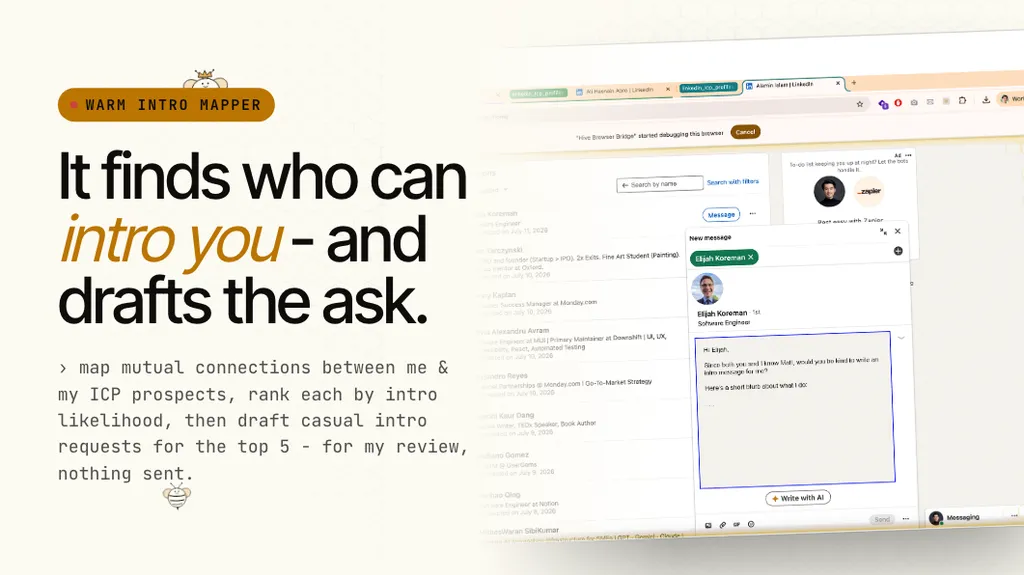
Warm Intro Mapper
Warm Intro Mapper Find the warmest path to each of my top sales prospects through people I already know, and draft a short intro request message for each path. Nothing gets sent until I approve it. 1. Define who I'm looking for Start with my icp description. Be specific about what makes someone a strong prospect versus a lookalike. Focus on buyers instead of product or services providers selling to me. 2. Pull prospects from my LinkedIn network Go to my LinkedIn connections page and scan for people who match my ICP. Scroll through a few hundred, filter by headline keywords that signal fit. Cross-reference against any enriched data I already have. Pick my top target prospect count prospects. 3. Check mutual connections for each prospect For each prospect, go to their LinkedIn profile and find the "mutual connections" link. Extract every person listed. 4. Score each mutual connection as an intro path Rank every shared connection on three things: How close are they to the prospect? Same company scores highest. Same industry or city scores medium. Large network overlap is a bonus. How senior and influential are they? Founder/CEO/owner scores highest. VP/Director next. Manager or individual contributor lower. Large following is a bonus. How warm are they to me? Recently connected scores highest. Shared interests in their headline is a bonus. Posts actively is a bonus. Total each person on a 0-10 scale. Anything 8 or above is a strong intro path. 5. Pick the best path for each prospect For each prospect, take their highest-scoring mutual connection as the primary intro path. Keep the second and third best as alternates. 6. Draft the intro request For each of my top paths, write two versions: LinkedIn DM (short and casual): Lead with something genuine about the connector's work. Then the ask: I noticed shared network, here's what the prospect does, I think there's overlap, would they be open to an intro. Close with a no-pressure out and offer to send a one-liner they can forward. Email (slightly more context): Same structure, slightly more detail. Subject line naming the prospect. One or two sentences on why the intro makes sense for both sides. Always offer the forwardable blurb. Always give an easy out. Tone rules: write like a real person talking to someone they respect. No corporate filler. Get to the point in the first two sentences. 7. Put it all in one table One row per prospect. Columns: prospect name, ICP segment, who to ask for the intro, score, number of mutual connections, why this path works in one sentence. Below the table, list the full draft messages for each path. Include alternate paths at the bottom. 8. Present for review before sending Show the table and the drafts. Nothing sends until I review and approve. Make it easy for me to say "send these 5, edit this one, skip these 2."
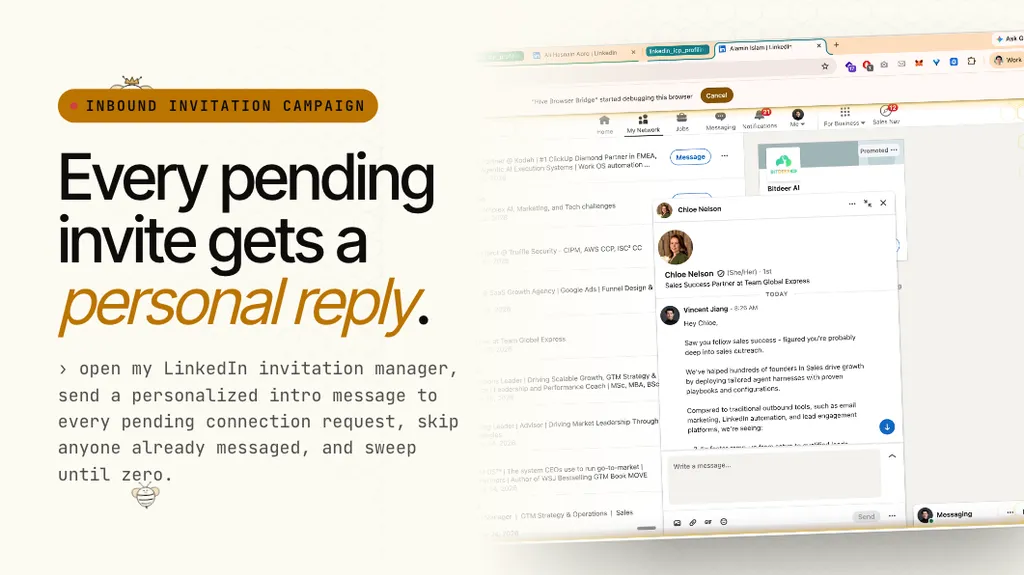
Inbound Linkedin Invitation Reply
LinkedIn Inbound Invitation Reply Goal Send a personalized intro message to every pending LinkedIn connection request, turning inbound invitations into conversations. Nothing goes out until I review the drafts. Success criteria Every pending invitation gets a message or gets skipped for a documented reason. No one is left untouched. No duplicates. No replies sent. I see the full list before anything goes out. Deliverables A draft message for each pending invitation, a log of who was messaged vs. skipped (and why), and a count of total invitations processed. Go to my LinkedIn invitation manager and send a personalized intro message to every pending connection request, then don't do anything about invitations after messaging. Run whenever I say "run" or "continue." Message template (multi-paragraph with blank lines, first name from their LinkedIn profile): Hey first name, thank you for the connection request. I'm building my product description - my product url Would you my cta before we connect? Best, my name Skip rules: - Anyone already messaged - Newsletters (no compose URL, says "invited you to subscribe to") - Company/page follows (no compose URL) - send_unverified counts as sent Most importantly, always message everyone first. Never ignore or accept the connection requests.

Inbound Sales Email Reply Sweep
Goal: You monitor account count email accounts for inbound sales emails and reply with my template. What success looks like: A person who emails any of our inboxes with a sales pitch receives a reply within response window hours hours. We never email the same person twice. We keep a running log of everyone we've replied to so we can deduplicate across accounts. Accounts (check ALL of these every sweep): email 1 email 2 email 3 email 4 email 5 Template reply (do not deviate): Hi first name, Thanks for reaching out. compliment about their offer I'm actually building your company name to what your business does. We help benefit 1, benefit 2, and benefit 3. Let me know if you're interested in your cta. Best, your name Which emails to reply to: Reply to any email from a company, consultant, agency, or vendor pitching a service or product. This includes qualifying sender types. When unsure, reply. The bar is low on purpose. Do NOT reply to: Anyone we've already contacted. Before sending, check the contact log and sent mail for every account. If we've replied to this person on any address, skip them. Cross-account duplicates are the most common mistake. Our own customers. If someone is customer interaction types, they're a user, not a sales lead. Don't send them the template. People responding to our cold outreach. If the email thread starts with one of our outbound campaigns (like outbound example 1 or outbound example 2), those are echoes from our own marketing. They need a human response, not the template. exclusion list Where to look: Check both the inbox and the spam folder for every email account. Sales emails frequently land in spam, and we want those too. About spam hit rate percent of our qualifying replies come from spam. Check every account on every run. We currently monitor account count addresses, and volume is uneven. The high volume inbox gets the most inbound; the low volume inbox gets almost none. Check them all anyway. How to run a sweep: Search every account for new messages since the last sweep. Look in inbox and spam. Filter out the known noise (noise sender types). Read enough to classify. You need the sender name, their company, the subject line, and the first sentence. That's usually enough to tell a sales pitch from a customer message or a bounce. Reply to each qualifying email with the template. Use the sender's first name. Send the reply in the same thread it came in from. Log every reply in a shared contact list with: name, email, company, what they were selling, which inbox they contacted, and the date. This is your dedup database for the next sweep. Report back with: how many replies sent this run, a table showing each sender and what they're pitching, the running total since we started, and anything unusual you noticed (unusual flag examples). Things we've learned (apply these): The user dismisses setup questions. Don't ask which folders to check, how far back to look, or what qualifies. Pull broadly, sort it yourself, report what you found. The trigger is usually a single word: "sweep trigger word". When the user says "positive close word" after a sweep summary, that's a positive close. Don't over-explain or ask follow-up questions. When the user says "resweep trigger phrase," re-sweep all accounts from scratch. They expect fresh results, not a cached answer. The user likes per-account breakdowns in status reports. Show which inbox each reply came from and the running total per account. Relaxed criteria means relaxed. Originally we only replied to original qualifying scope. The user expanded this to "expanded qualifying scope." When in doubt, reply. The cost of a wrong reply is low. The cost of missing someone who could have been a partner is higher. Spam is fair game. The user explicitly asked us to check spam folders. Many legitimate sales pitches get filtered there. We find real leads in spam every sweep. Flag non-sales issues you notice but don't act on them. If a customer is stuck in onboarding, or a contract is waiting for signature, or someone reports a deliverability problem, mention it at the end of the report. The user will decide what to do. Pace your sends. Email providers enforce daily sending limits. If you hit a limit, note when it resets and continue with other accounts. Don't hammer retries on a rate-limited account. Some sender names will break the email API (breaking name examples). Note these and skip them. Don't retry indefinitely. Numbers in the report must match reality. If you say reported number example replies, verify by counting sent mail. The user has caught discrepancies before. Keep the task list to one rolling item, not one task per account or per sweep. Archive completed sweeps into history so the active plan shows only what's next.
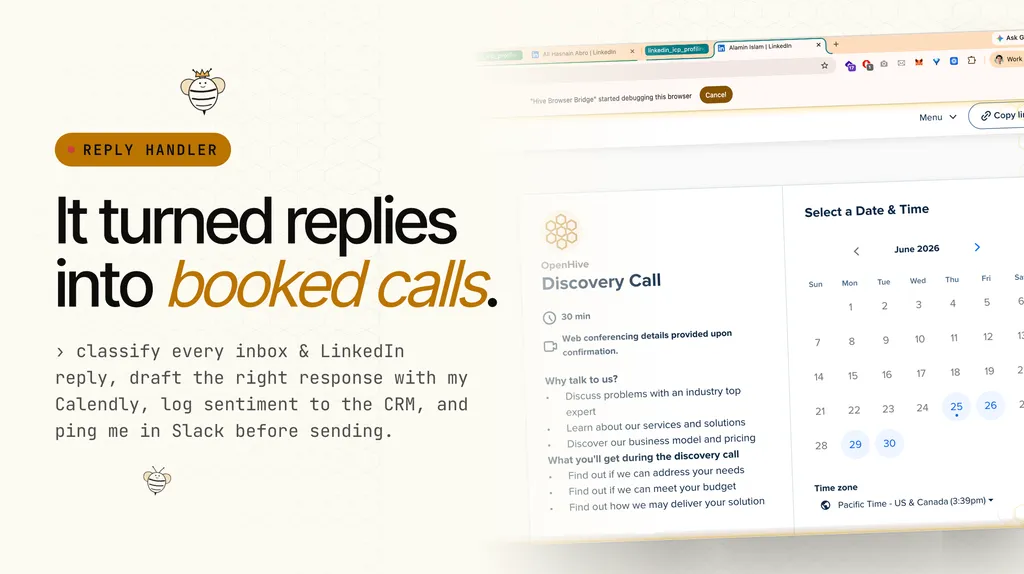
Reply Handler & Meeting Booker
Monitor my inbox (your email) and LinkedIn messages for replies to outbound campaigns. For each reply: Classify the response: interested, not now, wrong person, objection, unsubscribe, out of office, question Auto-draft a reply based on classification: Interested → suggest a time using my Calendly link (calendly link), draft a short confirmation Not now → acknowledge warmly, ask if rengage timing makes more sense, log for re-engagement Wrong person → ask who the right person is, draft an intro request Objection → draft a response addressing the specific concern, but flag it for my review before sending Unsubscribe → remove from all sequences immediately, mark in CRM Do NOT auto-send any reply. Save everything as drafts and notify me in notification channel (channel: notification channel name) with the prospect name, classification, and draft. Log every reply and classification in the CRM with a timestamp and sentiment score.
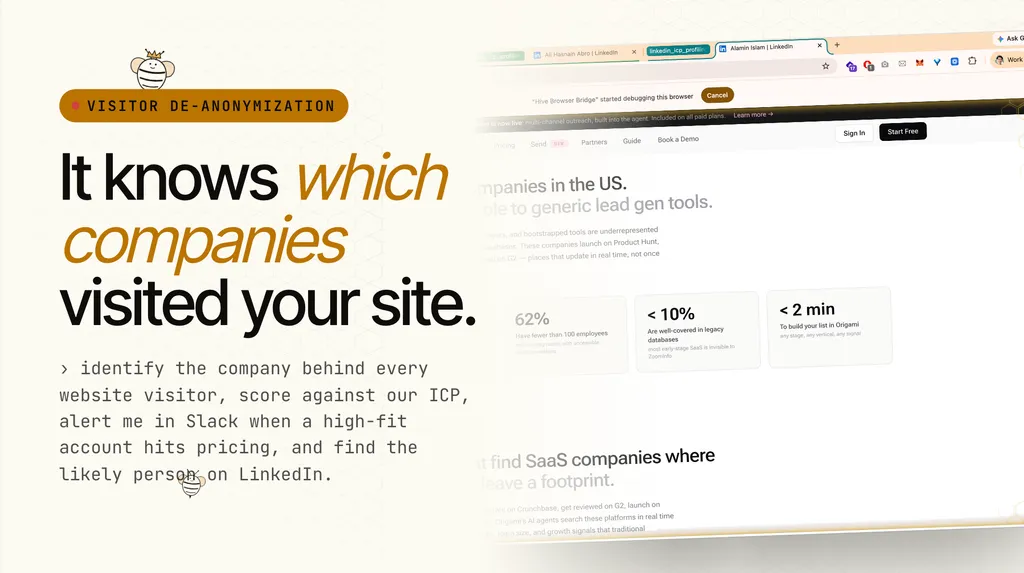
Website Visitor De-anonymization & Lead Capture
Website Visitor De-anonymization & Lead Capture Goal Turn anonymous website traffic into identified, scored, and actionable prospects. Every company that visits my site gets de-anonymized, matched against my ICP, scored for fit and intent, and routed to the right next step. Success criteria No high-fit company visits my website and goes unnoticed. Every company scoring above the intent threshold gets de-anonymized against LinkedIn, flagged with a recommended outreach angle, and added to my prospect list. Deliverables A running table in the colony database tracking every identified company with visit history and fit scores, and a daily email report summarizing the top visitors. What to do Pull visitor identification data from my website analytics tool, visitor intelligence tool (e.g. RB2B, Warmly, PostHog, Clearbit Reveal, 6sense, LeadFeeder). For every visitor identified by visitor intelligence tool, capture the company name, industry, size, and location. Use enrichment provider for additional firmographic data if needed. De-anonymize the visitor against LinkedIn. Once a company is identified, search LinkedIn for employees at that company who match my ICP persona (role, seniority, location). Cross-reference their recent LinkedIn activity (posts, comments, job changes) against the visit timing and pages viewed to identify the most likely individual visitor. This is the person I want to reach out to. Match identified companies against my ICP criteria and score them on two axes: fit (how closely they match my ideal customer profile) and intent (how deeply they're engaging with my site). For each identified company, track: Which pages they visited (homepage, pricing, features, blog, specific playbook pages) How long they stayed on each page Whether they've visited before and how many times Whether they visited high-intent pages (pricing, demo signup, contact, case studies) The de-anonymized LinkedIn profile of the most likely visitor High-intent trigger: If a company visits 3+ times or spends 5+ minutes on pricing or demo pages, trigger a high-priority alert in notification platform (channel: notification channel name) with the company name, pages viewed, time spent, fit score, the de-anonymized visitor's name and LinkedIn profile, and a recommended outreach angle based on what they were looking at. Add the de-anonymized visitor to my ICP list with the website visit logged as a buying signal. What I do NOT want: Do not alert me on every single visitor. Only flag companies that pass the ICP fit threshold AND show real engagement (multiple visits or time on high-intent pages). Do not add low-fit companies to my prospect list just because they visited. A random startup browsing my homepage once is noise. Do not auto-send any outreach. Flag, score, and recommend. I decide who to contact. Do not guess the visitor's identity. If LinkedIn cross-referencing doesn't produce a strong match, note the company but leave the individual as "unidentified." Daily report: Log every identified company in the colony database table with: name, industry, headcount, pages viewed, visit count, time on site, fit score, intent score, de-anonymized visitor name and LinkedIn URL, recommended outreach angle. Email me a daily summary at your email with the top visitors from the last 24 hours, ranked by fit and intent.
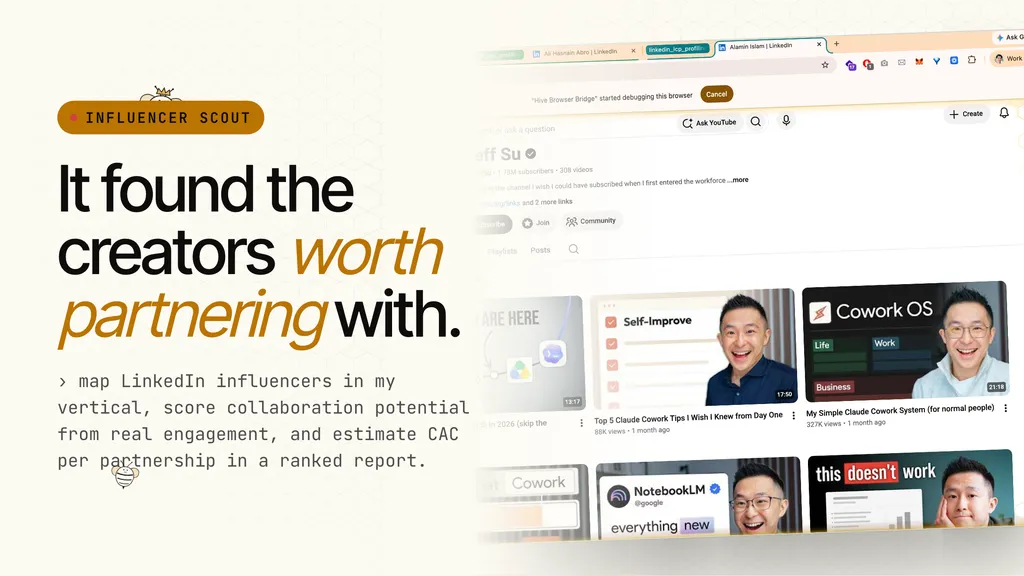
LinkedIn Influencer-Based Outreach Campaign
LinkedIn Influencer-Based Outreach Campaign Goal Find prospects who follow relevant LinkedIn influencers in my space, connect with them, and send personalized outreach messages that book discovery calls for my product name. Success criteria A steadily growing pipeline of messaged prospects, accepted connections converting to conversations, and booked calls on my Calendly link. Deliverables A running prospects table in the colony database with profile URL, name, headline, industry, connection status, message status, and date messaged. All messaged leads synced to the colony data table so the data persists across colonies and sessions. How it works Find influencers and mine their audience. Identify 10+ LinkedIn personalities who post about topics adjacent to my product — LinkedIn automation, sales tech, GTM tools, outbound strategy. For each influencer, find their recent posts and collect the top 25-50 people who liked or reacted. Those people are my prospects — they've self-selected as interested in this space. I can also expand the pool by visiting the LinkedIn company pages of relevant SaaS companies and collecting employee profile URLs from their People tab. Send connection requests in bulk. LinkedIn enforces a weekly invite limit (roughly 100 standard, extendable to ~130 via a workaround). When the limit is active, invites silently fail — the button clicks but nothing sends. I must verify on the Sent Invitations page whether the count actually increased. When the limit lifts, immediately blast out as many invites as possible before it re-triggers. A stockpile of thousands of prospects builds up during the waiting periods. Test the limit by sending one test invite, then checking if it registered. If it didn't, wait and test again later (invites expire from the rolling window at roughly 25-75 per day). Message new acceptances daily. Every day, scan my connections page for people who recently accepted my invite. Message each one with a personalized outreach note. This is the core conversion activity — don't let acceptances sit unmessaged. Track everything in the database. Maintain the prospects table and invite queue. After each messaging batch, write the messaged prospects into the shared CRM as contacted leads. The message template The message must be multi-paragraph with blank lines between every paragraph. Follow this structure exactly: Hey first name, personalized opener social proof line value proposition results bullets Let me know if you'd like to walk through this setup on a quick call — here's my link: my calendly link site reference line Best, What each variable is: first name — The recipient's first name from their LinkedIn profile. If unavailable, use "Hi there" personalized opener — One sentence referencing something specific from their profile or why I'm reaching out. If I don't have their headline, use a generic "GTM and growth" opener social proof line — One sentence establishing credibility (who I've helped, what results, what category) value proposition — One to two sentences on what my product does and why it's different from alternatives results bullets — Three short metric-driven dash lines showing concrete outcomes, one metric per line cta line — A soft call to action with my booking link site reference line — A line pointing to my website for context Formatting rules: Must be multi-paragraph with line breaks between sections Do NOT sign with a name after "Best," — the system default signature handles it The site reference line is ONLY for new messages — never re-add it to people I've already messaged Keep each section to its own paragraph. Never combine sections into one block of text Operating rules Skip list — Maintain a skip list of people I never want to message or invite (competitors, existing customers, prior contacts). Check it before every send Invite limit is the bottleneck — Everything else (pool expansion, messaging, CRM sync) should be caught up at all times. The only thing that blocks progress is LinkedIn's weekly invite ceiling Verify invites actually sent — LinkedIn silently fails when the limit is active. Always confirm on the Sent Invitations page that the count increased before assuming invites went through Don't double-message — Before sending, check if there's already an outbound message in the thread. If so, skip that person Promote to CRM — After each messaging batch, write the messaged prospects into the shared CRM as contacted leads Parallel workers for invites and mining — Connection requests and company-page mining can be parallelized across workers (3 at a time is safe). Messaging must be done one at a time since it shares a browser session Browser session dies overnight — Expect to restart the browser each day before operating Daily cadence Check if the invite limit has reset. If yes, blast invites from the stockpiled queue Scan for new connection acceptances and message all of them Sync newly messaged prospects to the CRM If the pool is getting shallow, mine more company pages for fresh prospects
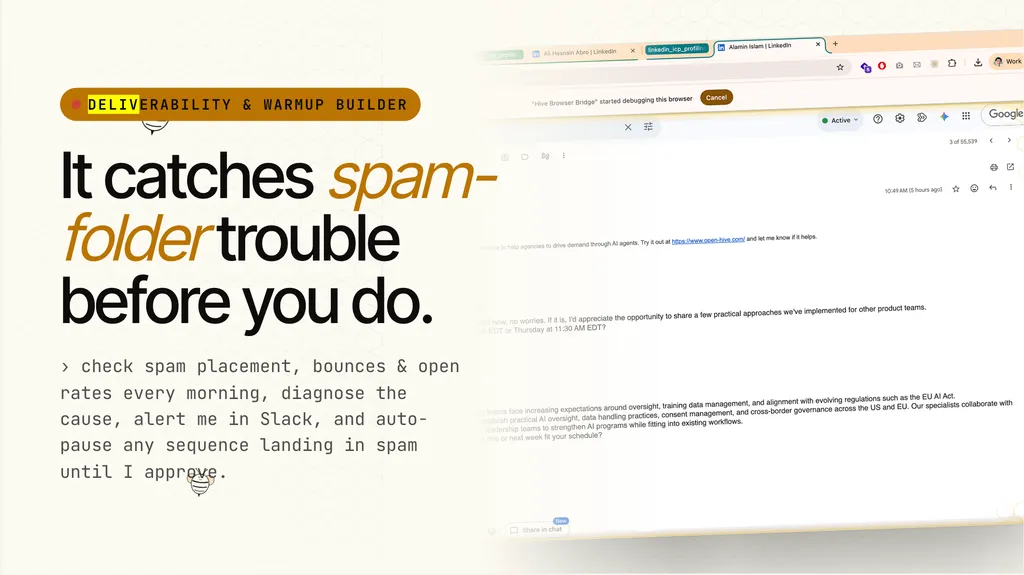
Email Deliverability & Warmup Builder
Email Deliverability & Sending Health Monitor Goal Monitor my sending inbox for deliverability health and catch problems before they tank my campaigns. Every morning, check the metrics that matter and diagnose issues the moment they appear. Success criteria No sequence silently lands in spam without me knowing within 24 hours. Every deliverability issue gets diagnosed with a likely cause and a specific fix before it damages my sender reputation. Deliverables A daily deliverability report emailed to me, and a sending reputation scorecard maintained in the colony database tracking trends over time. What to check every morning Pull data for my last recent email count sent emails from your email and review: Spam placement rate — what percentage is landing in spam folders across recipients Bounce rate — hard bounces and soft bounces Reply rate — are people actually responding Open rate by sequence — flag immediately if any sequence drops below min open rate threshold Sending volume — any sudden spikes or irregular patterns When a metric degrades, diagnose the cause If any metric is trending in the wrong direction, investigate and identify the likely culprit: Domain reputation — has my sender score dropped, are recipients marking messages as spam Authentication issues — SPF, DKIM, or DMARC misconfiguration Content triggers — subject lines, body copy, or links tripping spam filters Sending volume — a sudden spike that looks bot-like to email providers List quality — stale or unverified email addresses driving bounces Recommend a specific fix for each diagnosed issue, not a generic "improve your content." Automated actions Pause any sequence with a spam placement rate above spam threshold percent immediately. Do not wait for my approval to pause — only wait for my approval to restart Alert me in notification platform (channel: notification channel name) the moment any sequence shows signs of landing in spam. Include the sequence name, the spam rate, the likely cause, and the recommended fix Log every alert and action in the sending reputation scorecard Daily report Email me a summary at your email every morning with: Current health status of all active sequences (green, yellow, red) Any sequences paused overnight and why Trend lines for spam rate, bounce rate, reply rate, and open rate vs the previous day Specific fixes recommended or already applied
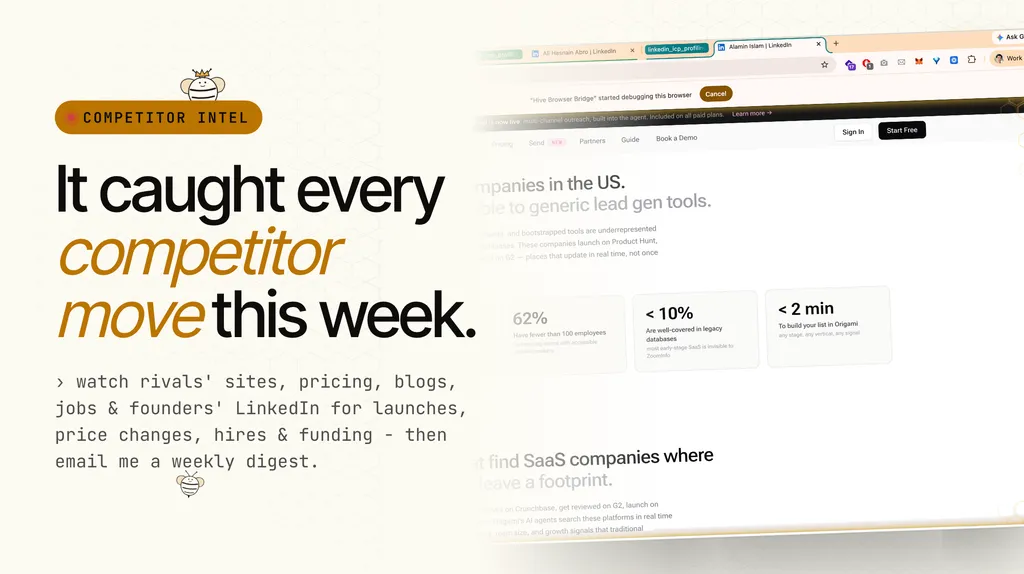
Competitor Intelligence
Competitor Intelligence Goal Track everything my competitors are doing and tell me what it means for my positioning. Know about their new features, pricing shifts, hires, and funding before they become a problem. Success criteria I never lose a deal or get surprised by a competitor move I could have seen coming. Every meaningful change from a competitor lands in my inbox with an analysis of what it means and what I should do about it. Deliverables A competitor intelligence report emailed to me at your email, plus a running competitor activity log in the colony database tracking every change over time. What to scan - For each competitor to your website, monitor these sources: - Their main website and product pages — feature additions, removals, positioning shifts, messaging changes - Pricing pages — price changes, new tiers, discounts, free trials appearing or disappearing - Blogs and changelogs — what they're building, what they're announcing, what they're prioritizing - Job postings — leadership hires, role expansion, team growth signals, new geographies Founders' and executives' LinkedIn activity — posts, job changes, hiring announcements, partnership signals - Funding and press — new rounds, acquisitions, partnerships, notable press coverage What to flag Surface these events the moment they appear: New feature or product launches Pricing changes — increases, decreases, new tiers, free plan changes Leadership hires — especially sales, product, or engineering leaders Funding events — new rounds, valuations, investor announcements Positioning shifts — are they moving upmarket, downmarket, or into my lane Acquisition or partnership news Anything else that could affect how I compete The digest Every digest cadence, produce a report structured as: What changed — the specific event or move, with a link to the source What it means for my positioning — does this threaten me, open a gap, or create an opportunity What I should do — one concrete recommendation per change (update my battle card, shift my messaging, counter-offer at-risk accounts, ignore it) Email the full digest to me at your email. Running log Maintain a competitor activity table in the colony database with: competitor name, event type, date, source link, summary, and recommended action. This becomes my historical record of competitor moves over time.
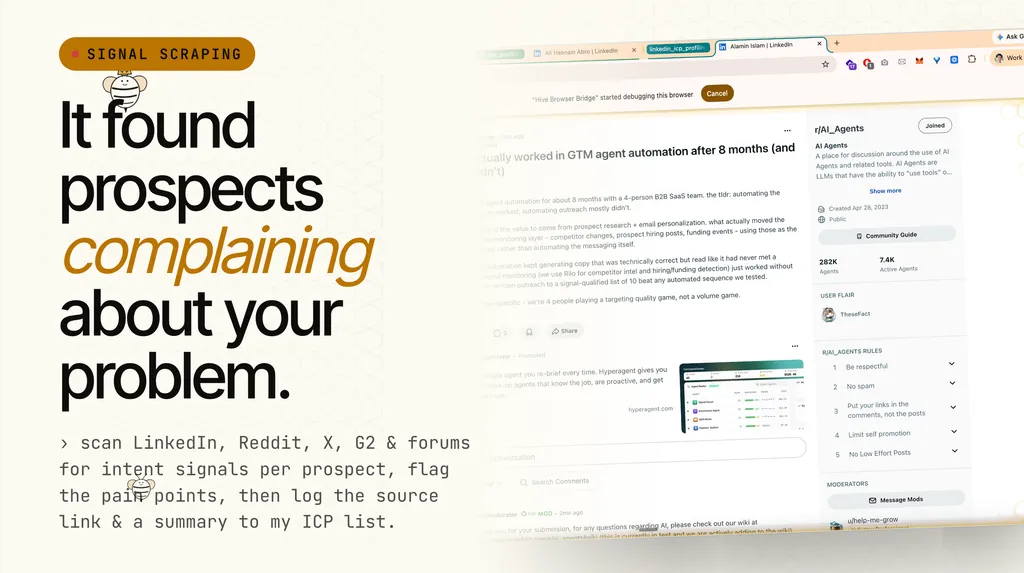
Signal Scraping
Based on the ICP list uploaded, scan for specific intent signals across the web for each prospect: signal sources. Flags conversations where my ICPs are complaining about a problem I solve: problem you solve. Put the original conversation link in the ICP list and summarize the intent signal in the table as well. Rank each signal by strength: signal strength criteria.
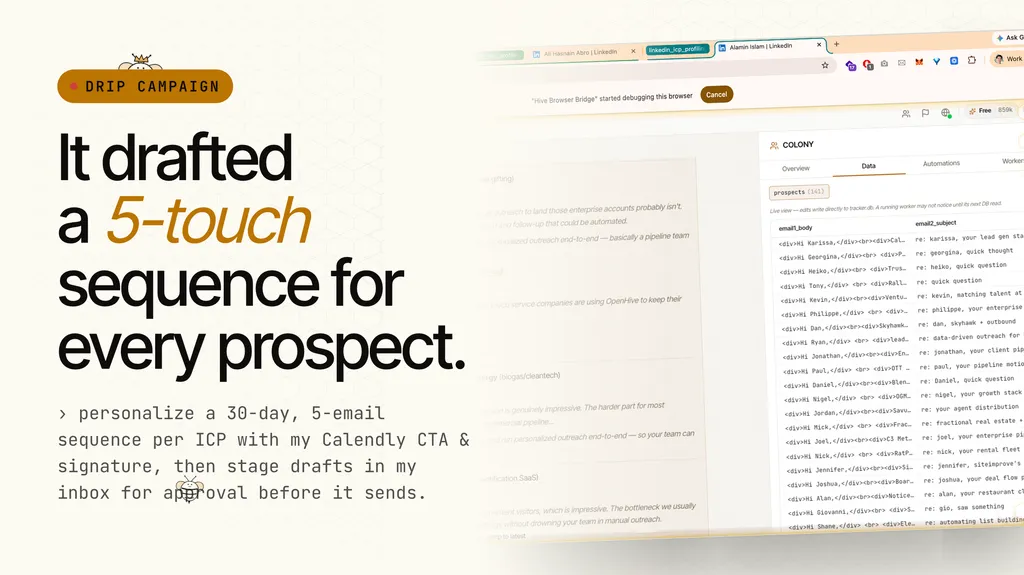
Drip Email Campaign
Drip Email Campaign Goal Draft a highly personalized outbound email sequence for every prospect on my ICP list, using insights from my market mapping and competitor intelligence to make each email feel hand-written. Nothing sends until I approve it. Success criteria Every prospect on my ICP list has a complete multi-email sequence saved as drafts in my inbox, ready to send the moment I say go. Each email reads like a human wrote it for that specific person, not a template blast. Deliverables sequence email count draft emails per prospect saved in my inbox, formatted and signed, waiting for my approval before activation. What to do Read my ICP list, market mapping, and competitor intelligence documents to understand each prospect's context — their industry, pain points, competitive landscape, and what angles will resonate. Draft a sequence email count email sequence per prospect, spread across sequence duration days days. Each email in the sequence serves a different purpose: Email 1 — The opener. Reference something specific about them or their company. Lead with their problem, not my product. Email 2 — The value drop. Share a relevant insight, case study, or data point tied to their situation. Email 3 — The proof point. Social proof, a result I got for a similar company, a concrete outcome. Email 4 (and beyond) — The soft break-up. Acknowledge they're busy, restate the value in one sentence, leave the door open. Write subject lines that maximize open rates. Short, specific, curiosity-driven. No clickbait. Test variations across prospects. Use my Calendly link as the primary call to action: calendly link Send from your email with my email signature applied to every draft. Format every email with clear paragraphs and blank lines between them. No walls of text. Easy to scan in under 15 seconds. Execution rules Do NOT send any emails. Save every email as a draft in my inbox. Target at least daily email volume drafts per day until the full sequence is built for every prospect. After I review and approve the drafts, activate the drip campaign. Personalize every email using the prospect's name, company, industry, and at least one specific detail pulled from the attached documents. Generic emails kill reply rates.
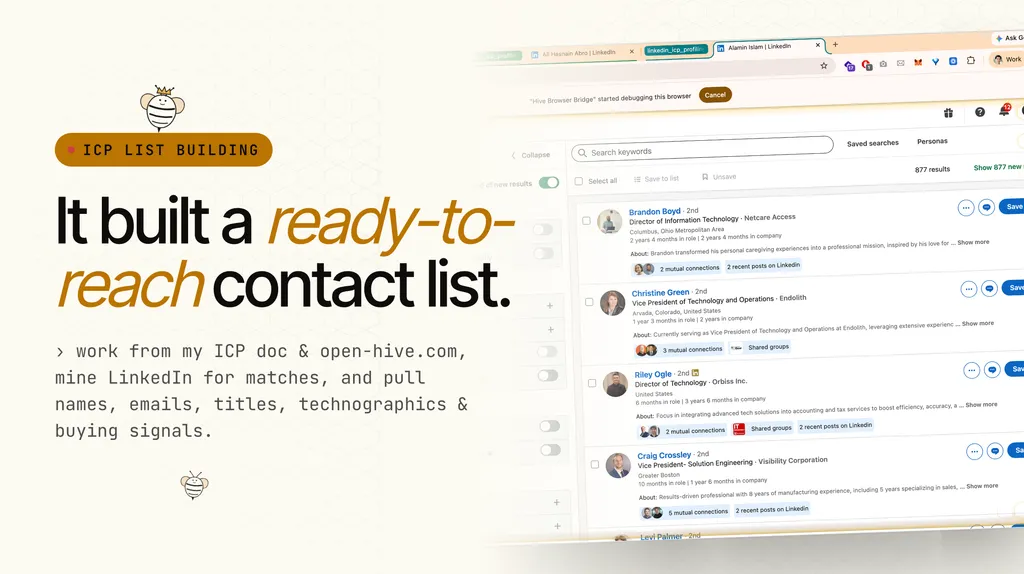
ICP List Building
Based on our Ideal Customer Profile (ICP) document as attached and our website (your website), go to my Linkedin account and start building a list of ICPs that I should reach out to. Get their basic contact info (contact fields) and grab at least min contacts contacts.
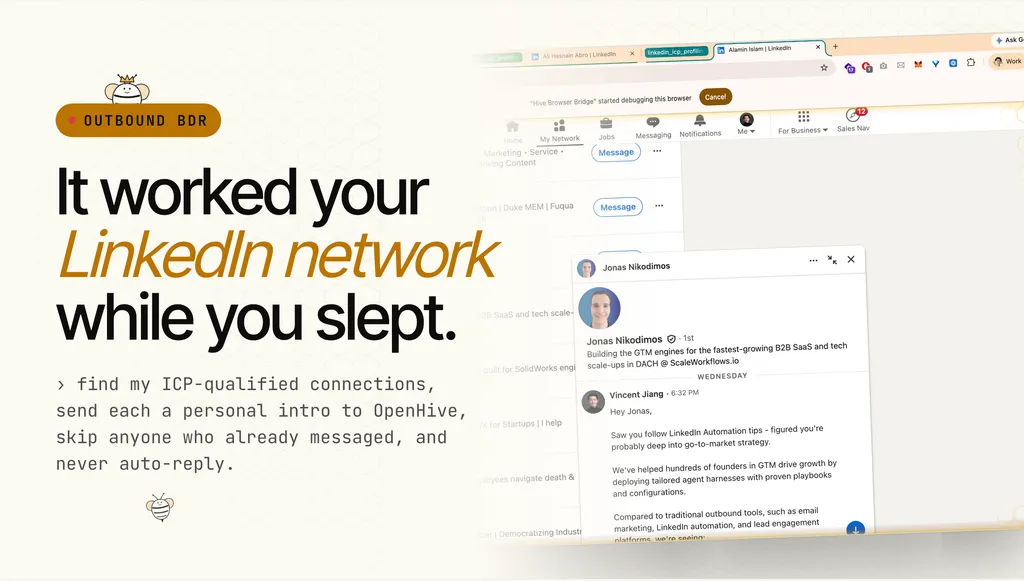
Outbound BDR
Go to my linkedin "your linkedin url" and find my connections who are qualified as ICPs based on the ICP list as attached. Message each one of these ICP connections this message: "dm template" - skip people that already messaged - make it multi-paragraph with spaces in between paragraphs - don't reply to anyone.
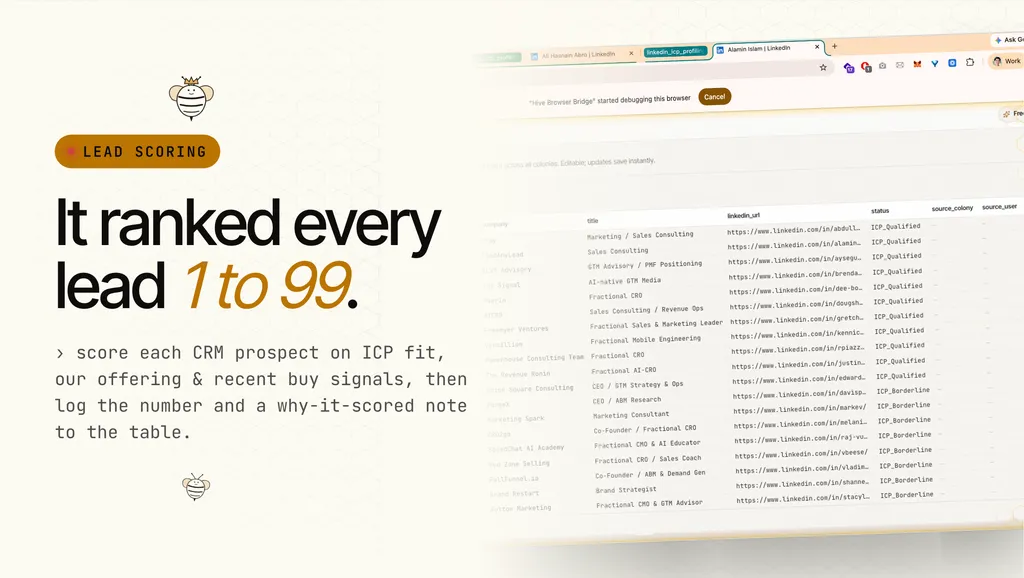
Lead Scoring
Go to my CRM (or file as attached), and rank each prospect or lead in terms of our ICP qualifications, core offerings (found on your website), and their recent activities and buy signals. Give them a score between score min-score max and share a comment in the database table on why they deserve that score. Scoring criteria: - ICP fit: icp fit criteria - Engagement signals: engagement criteria - Buying intent: buying intent criteria
Bring your own recipe.
The Aden registry is open. Fork an existing playbook, publish your remix back, and earn credits when other builders use it. Or write your queen from scratch - one prompt is enough to start.